Weather maps
that move.

The most advanced weather mapping SDK on the market. Visualize real-time weather and geospatial data, animate it over time, and style it to match your brand.

70+

Weather Layers

6

Lines To First Map

5

Minutes To First Integration

4+

SDK's

mapsgl-quickstart.js
// Weather maps in 6 lines. That's it. import { MapboxMapController, Account } from '@xweather/mapsgl'; const account = new Account('YOUR_ID', 'YOUR_SECRET'); const controller = new MapboxMapController(map, { account }); controller.addWeatherLayer('radar'); controller.addWeatherLayer('wind-particles'); controller.addWeatherLayer('alerts'); controller.addWeatherLayer('temperatures');
Timeline Animations

Weather that flows,
not flickers

MapsGL interpolates between data frames to produce smooth, scrubable animations. Observe past conditions and forecasts on one continuous timeline.

  • Past observations + future forecasts in one seamless timeline
  • Configurable playback speed, direction, and time range
  • Data queries return values at any animation frame
  • Works across radar, satellite, wind, and all 70+ layers
SDKs

Every platform.
One API.

Integrates with Mapbox, MapLibre, Leaflet, and Google Maps on web. Native SDKs for Apple platforms and Android. Same layers, same engine, everywhere.

Data Inspector

Click anywhere. Get everything.

Every coordinate on your map is a data endpoint. Tap a point and receive values from every active layer simultaneously: alerts, radar reflectivity, wind, storm cells, and impact scores. Try it yourself at live.xweather.com

  • Point-query across all active data sources in one call
  • Returns raw data values, not just rendered pixels
  • Impact scoring with natural language summaries
  • Build custom popups, sidebars, dashboards, and alerts
Interactive Demo

Explore MapsGL
on Xweather Live

Tap the map to activate and explore 70+ weather layers, real-time data queries, and timeline animations.

Tap map
70+ Prebuilt Layers

One method call.
Any weather layer.

Preconfigured, pre-styled, and fully customizable. Add any layer with addWeatherLayer()

Radar
Wind Particles
Alerts
Lightning
Satellite Geocolor
Temperatures
Hail Forecasts
Road Weather
Air Quality
Wave Direction
60+ more
See all layers →
Full Customization

Override everything.
Own the look.

Every color ramp, contour interval, particle density, and label format is yours. Style via the SDK, export configs from the Maps Wizard, or build custom layers from your own data.

  • Custom color scales, opacity curves, and blend modes
  • Particle count, speed, trail length, and width
  • Contour lines, filled regions, circles, symbols, or raw samples
  • Globe and flat map projection with seamless transitions
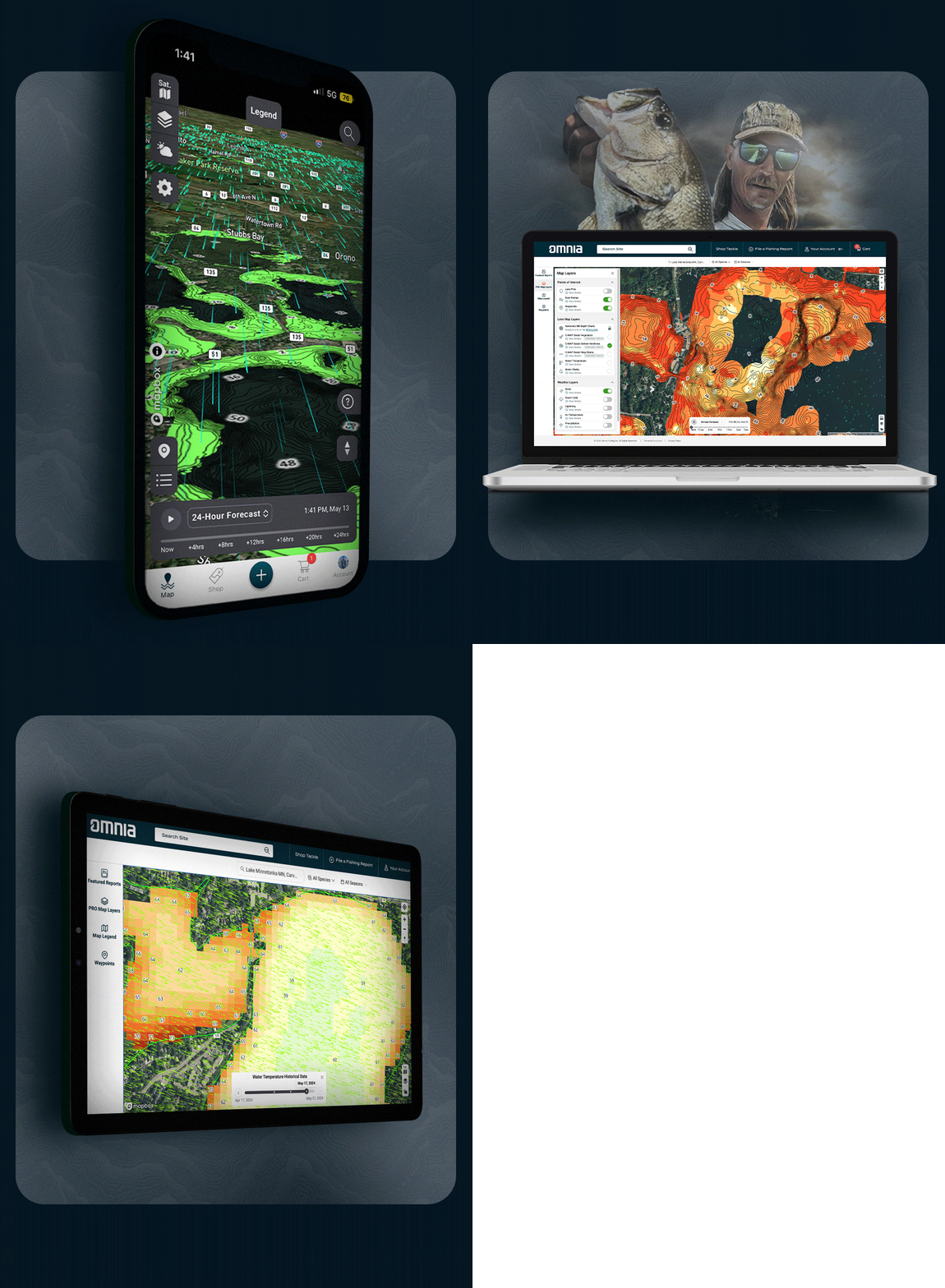
OMNIA mobile app built with MapsGL iOS SDK
Built with MapsGL

From SDK
to shipped product.

MapsGL powers production apps across mobile and web. Same rendering engine, same 70+ weather layers, same styling control, on every platform.

  • Native Metal rendering on iOS, iPadOS, macOS, visionOS
  • OpenGL on Android with identical layer support
  • 3D globe, tilted views, and terrain integration
  • 24-hour forecast timeline with scrubable playback

Every pixel,
rendered in your browser.

No server tiles. No image stitching. MapsGL renders weather data client-side using WebGL, giving you infinite control at every zoom level.

Frequently
asked questions

MapsGL SDKs make it easy to visualize real-time weather and geospatial data, animate it over time, and style it to match your brand or UX. Key capabilities include client-side rendering, timeline-based animation, 70+ prebuilt weather layers, real-time data querying, and full customization of colors, particles, and map projections.

MapsGL is included with every Xweather Weather API and Maps subscription. You can start with a free 30-day developer trial that includes full access to all SDK features, weather layers, and API endpoints. No credit card required.

Install the SDK via npm, initialize a map controller with your Xweather credentials, and start adding weather layers. Most developers have their first map rendering in under 5 minutes. Full quickstart guides and code examples are available in the documentation.

Raster maps use pre-rendered server-side image tiles, while MapsGL renders weather data client-side using WebGL. This means smoother animations, resolution-independent rendering at any zoom level, real-time styling control, and interactive data querying at any map coordinate.

On web, MapsGL integrates with Mapbox GL JS, MapLibre GL JS, Leaflet, and Google Maps. Native SDKs are available for iOS (including iPadOS, macOS, and visionOS via Metal rendering) and Android (via OpenGL). All platforms share the same weather layers and styling engine.

Get started

Ship weather maps
in minutes.

MapsGL is included with every Weather API and Maps subscription. Free 30-day developer trial, no credit card required.